

<?xml version="1.0" encoding="utf-8"?>
<feed xmlns="http://www.w3.org/2005/Atom">
  <title>夏天镇 SummerTown</title>
  
  
  <link href="https://www.summercommences.com/atom.xml" rel="self"/>
  
  <link href="https://www.summercommences.com/"/>
  <updated>2026-07-24T21:10:37.070Z</updated>
  <id>https://www.summercommences.com/</id>
  
  <author>
    <name>大夏</name>
    
  </author>
  
  <generator uri="https://hexo.io/">Hexo</generator>
  
  <entry>
    <title>Summer Town Interactive Map - 小镇版图扩建中！</title>
    <link href="https://www.summercommences.com/2026/07/24/SummerTownMap/"/>
    <id>https://www.summercommences.com/2026/07/24/SummerTownMap/</id>
    <published>2026-07-24T07:05:36.000Z</published>
    <updated>2026-07-24T21:10:37.070Z</updated>
    
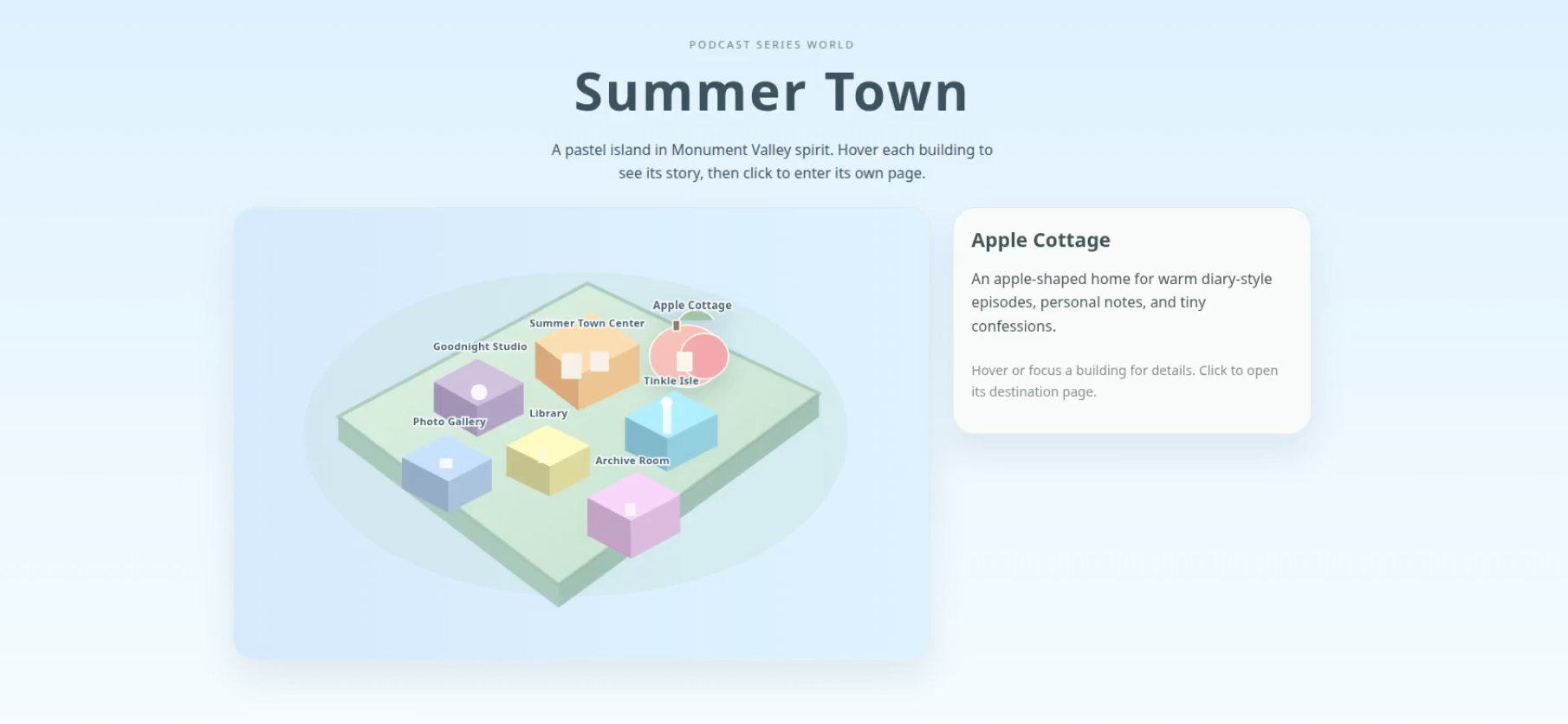
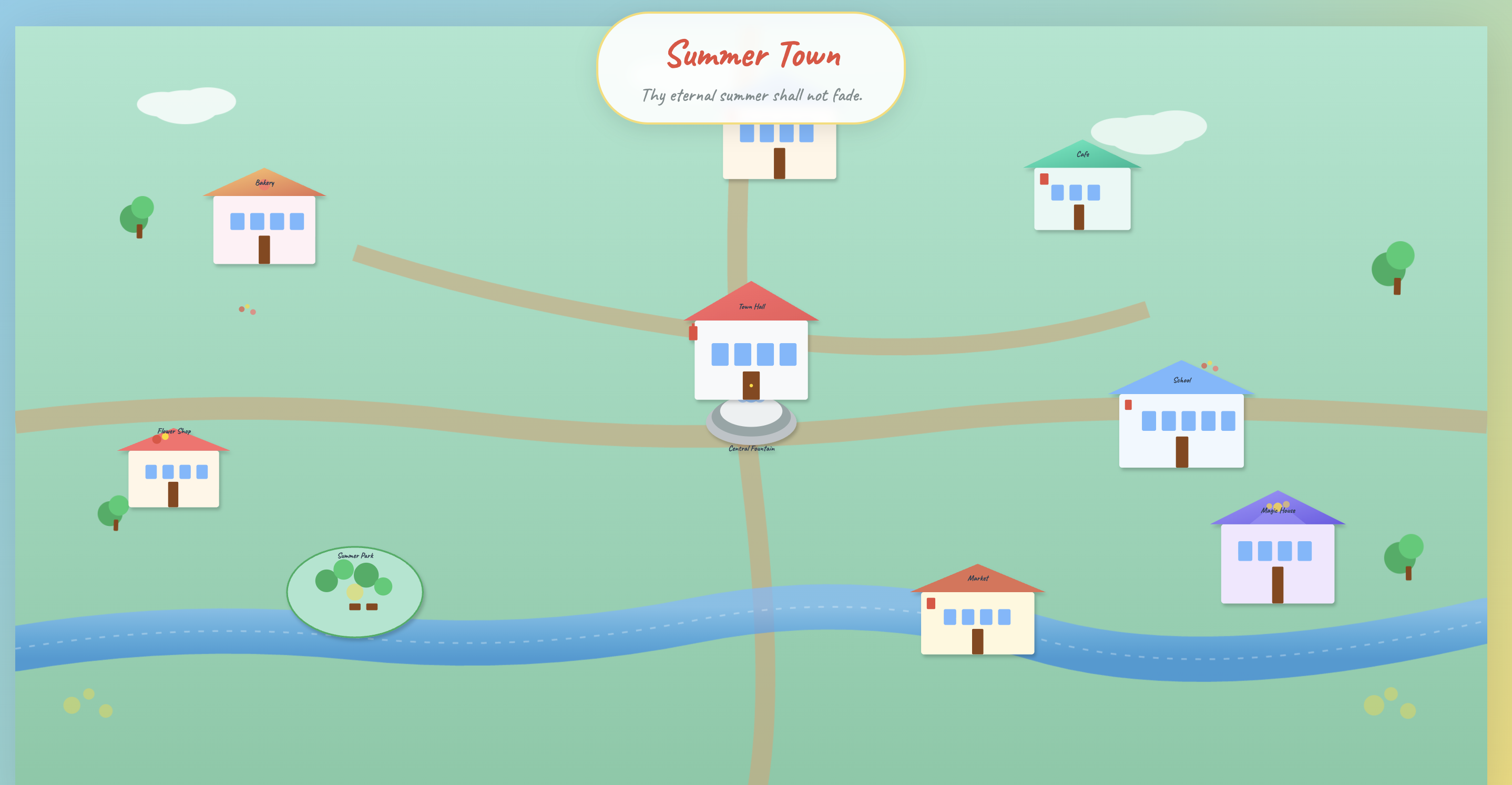
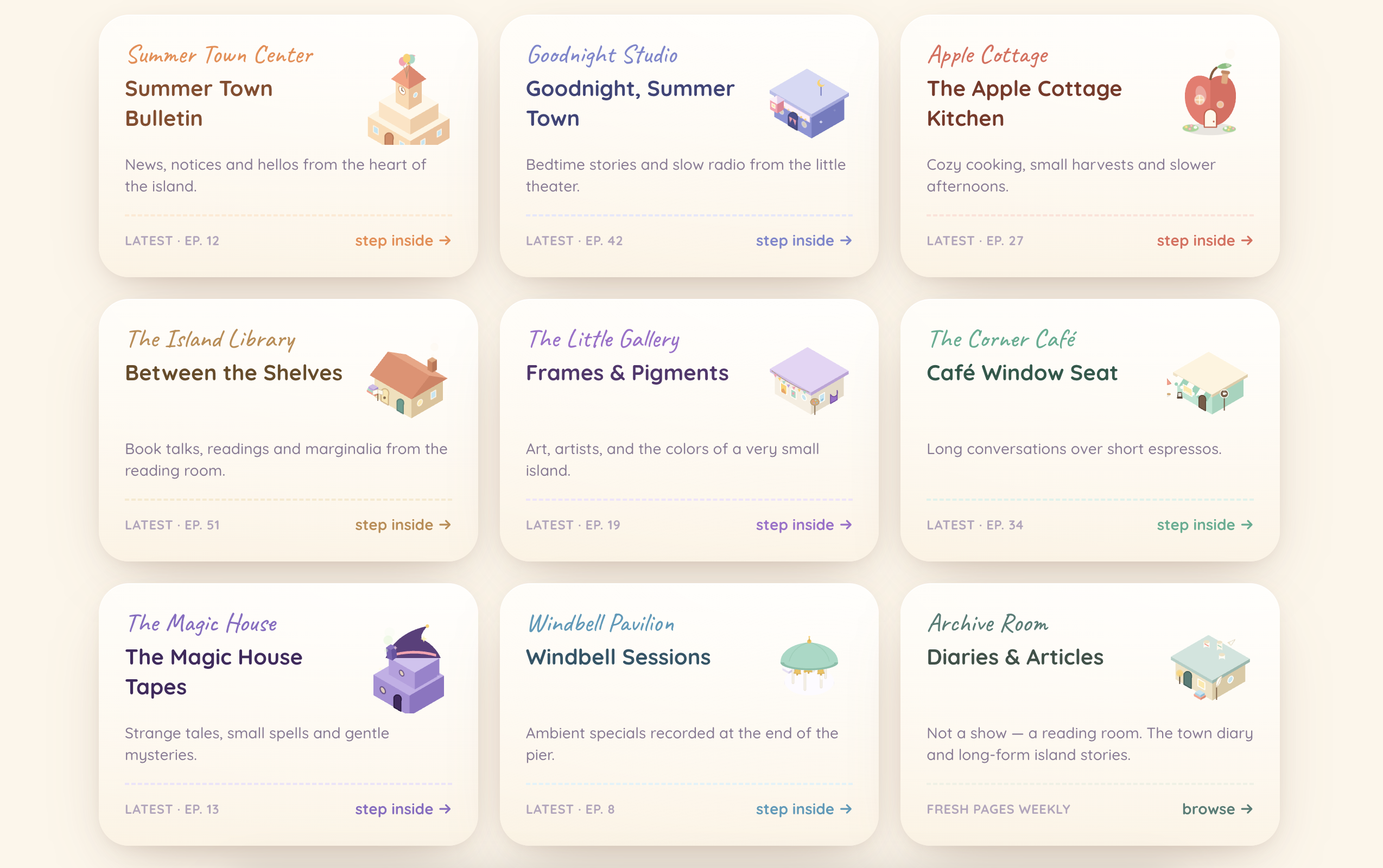
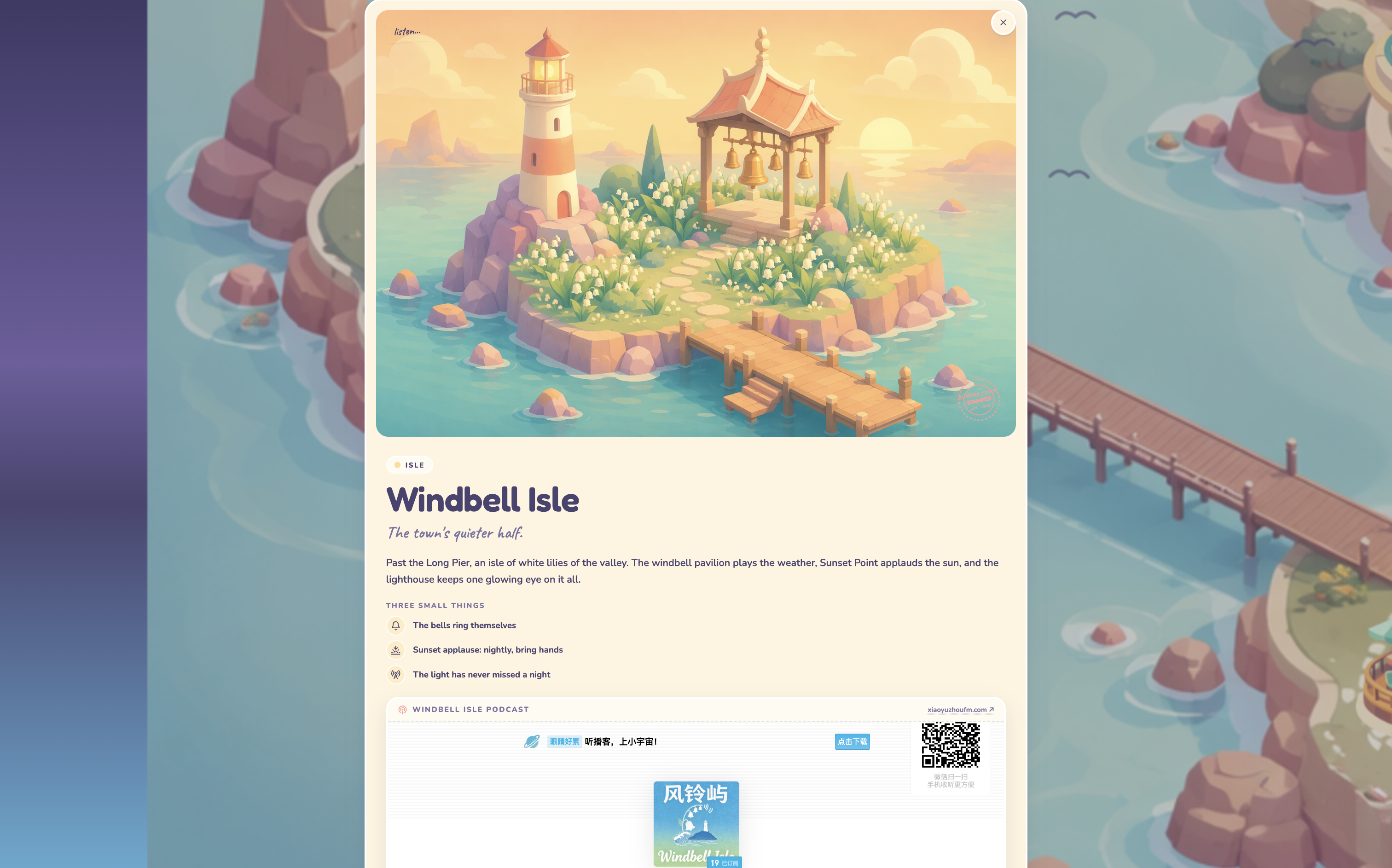
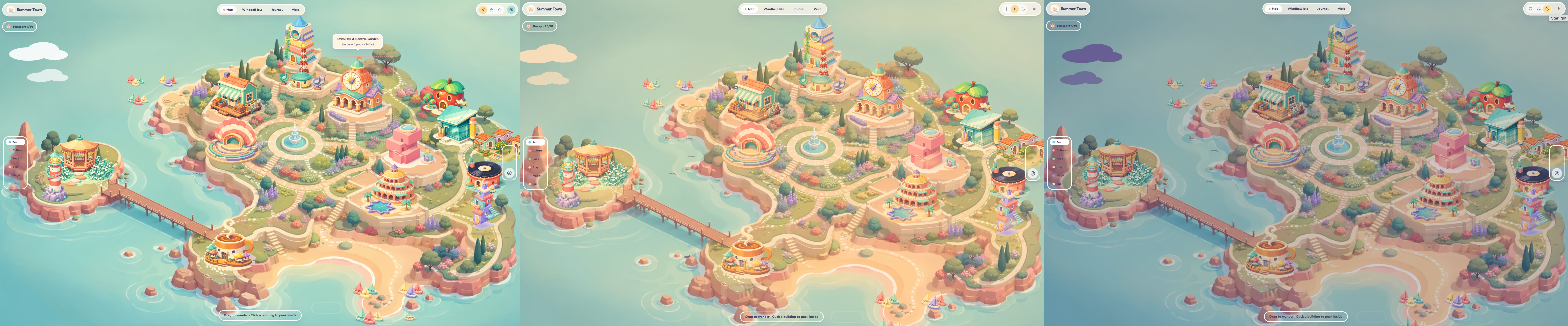
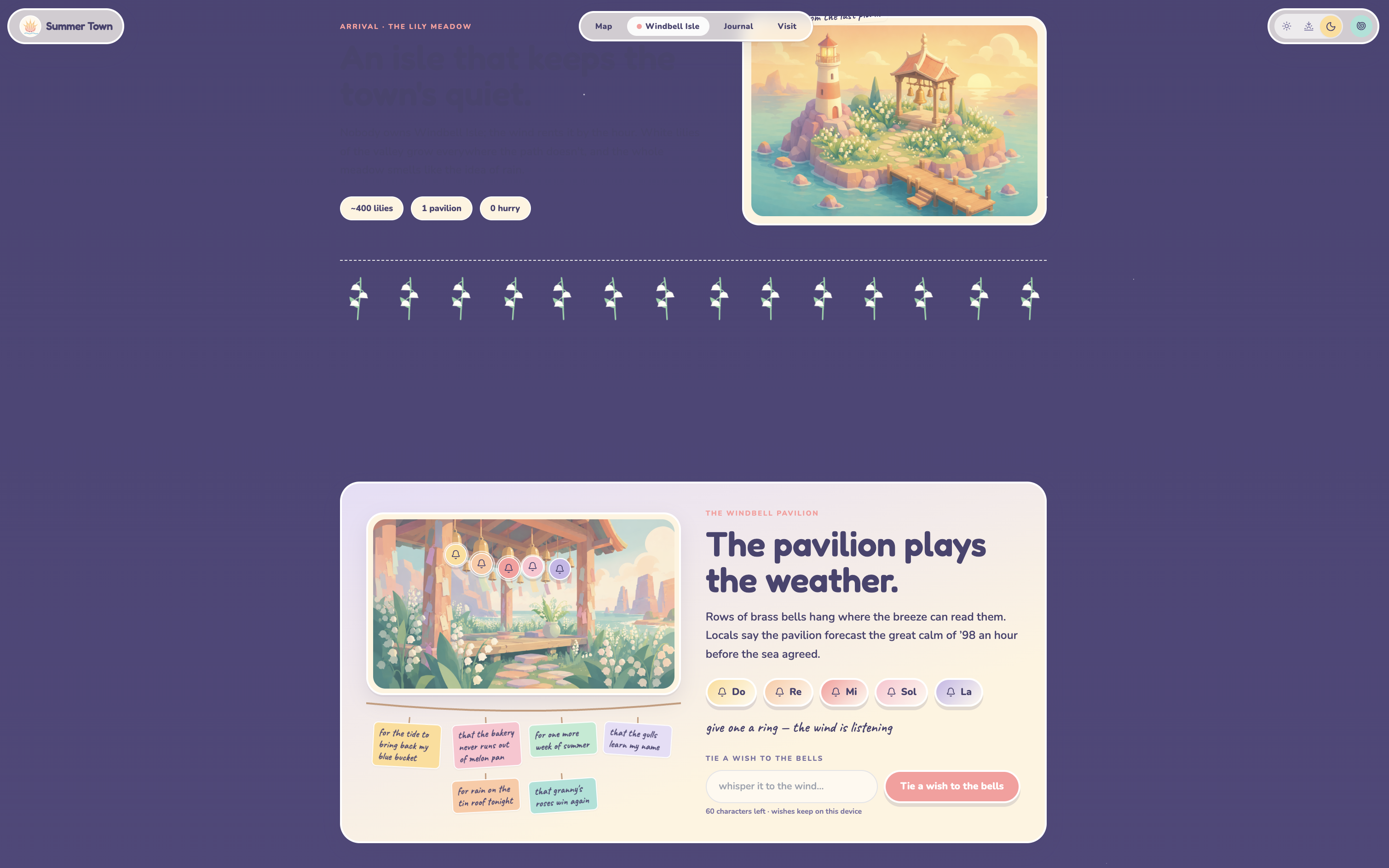
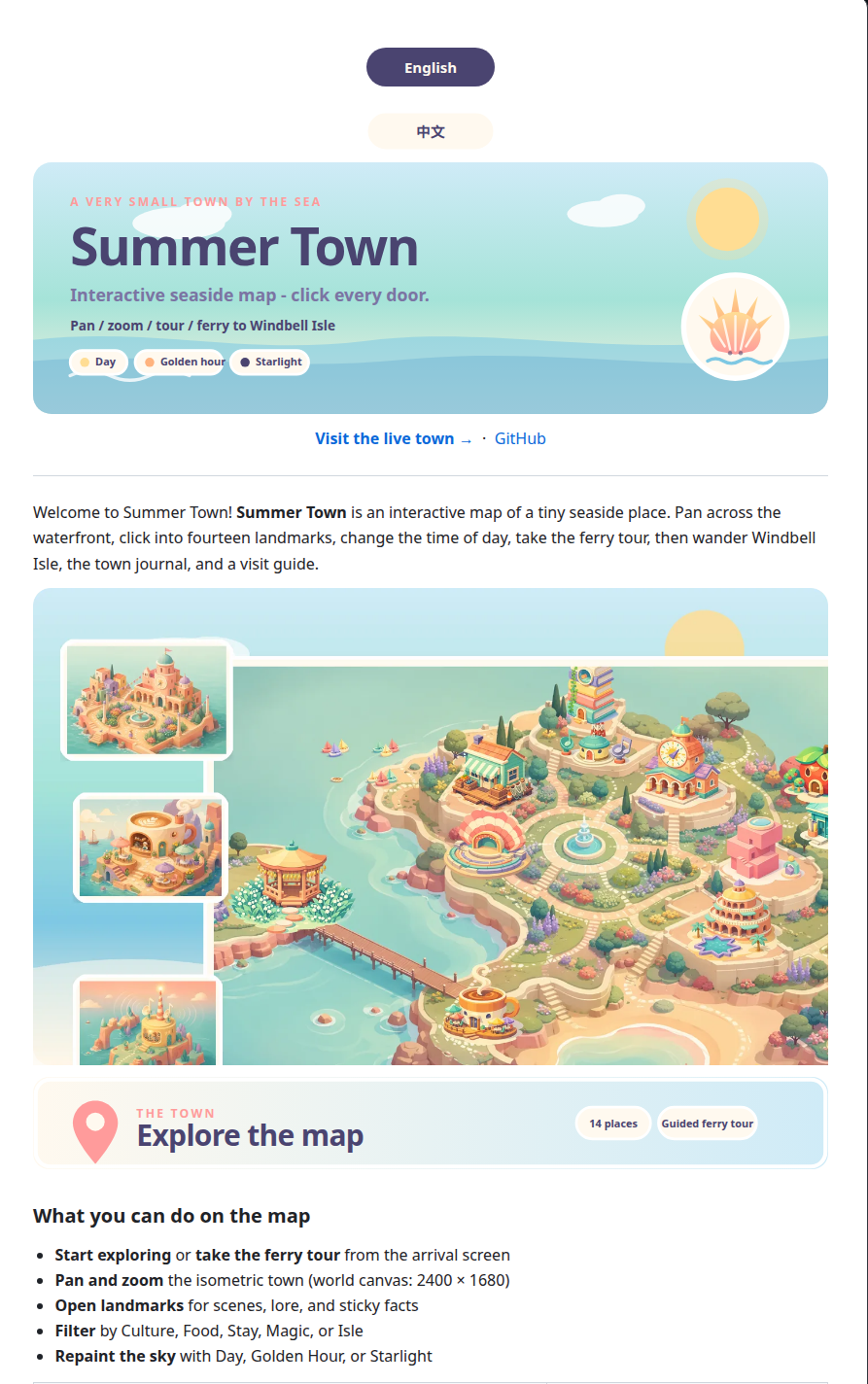
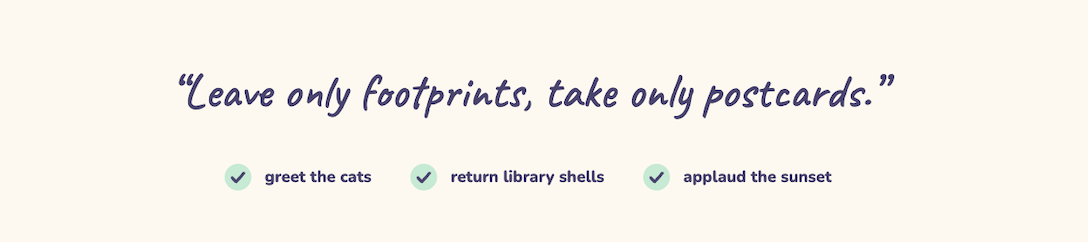
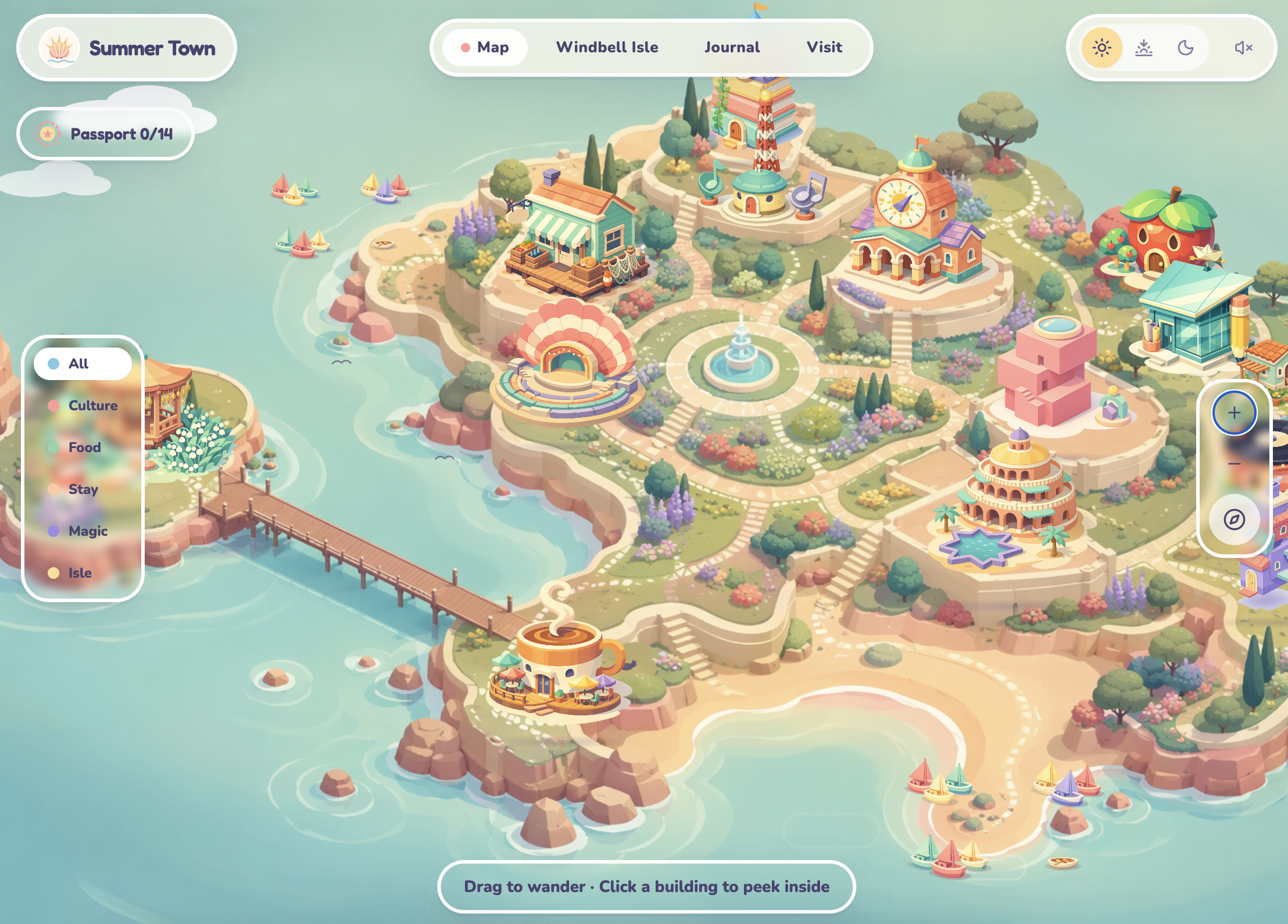
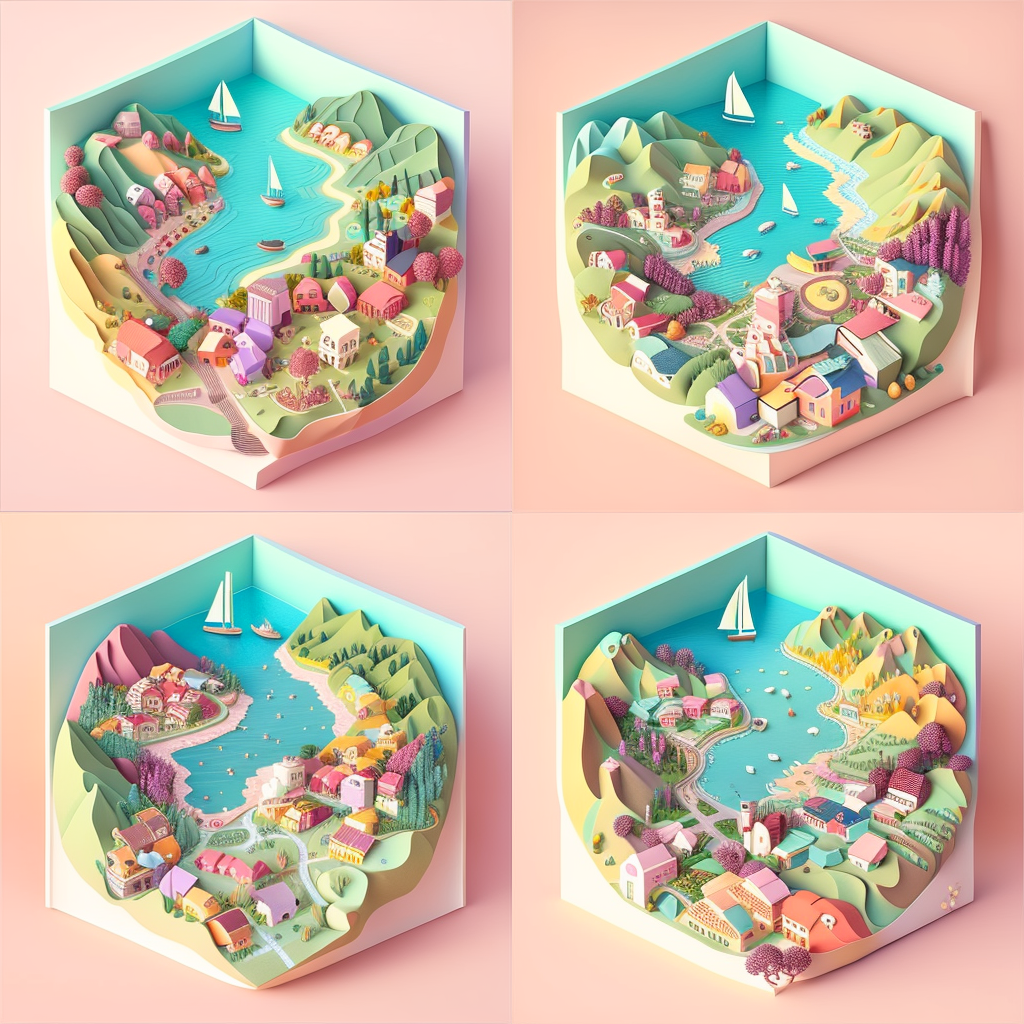
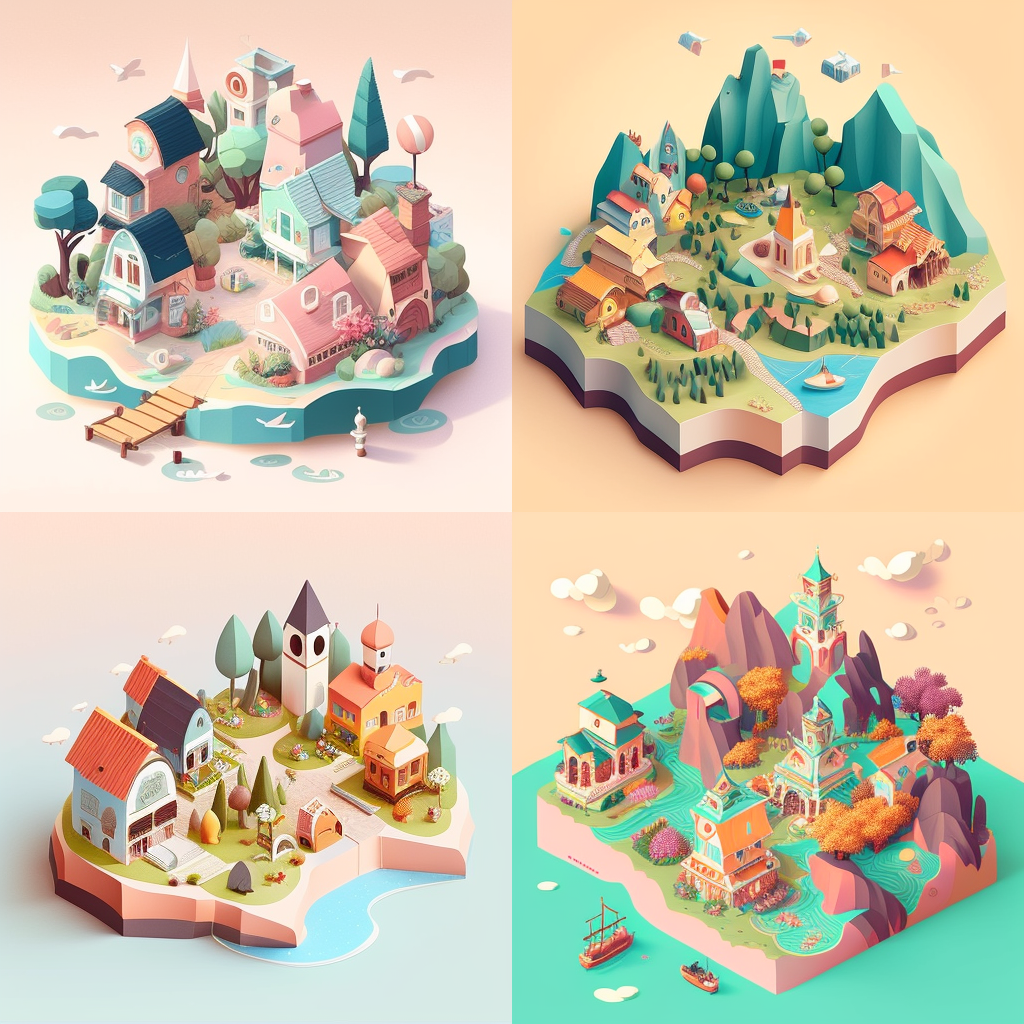
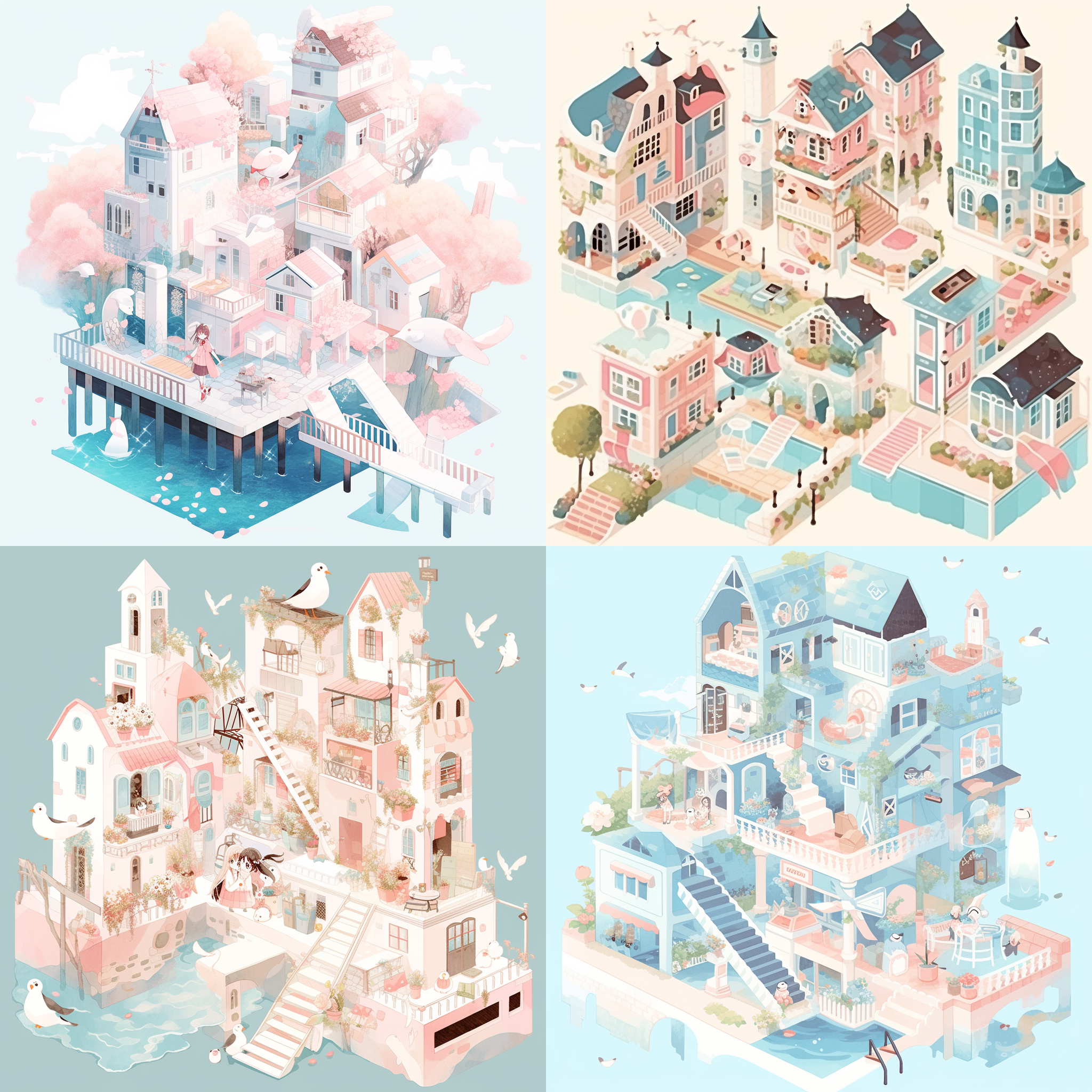
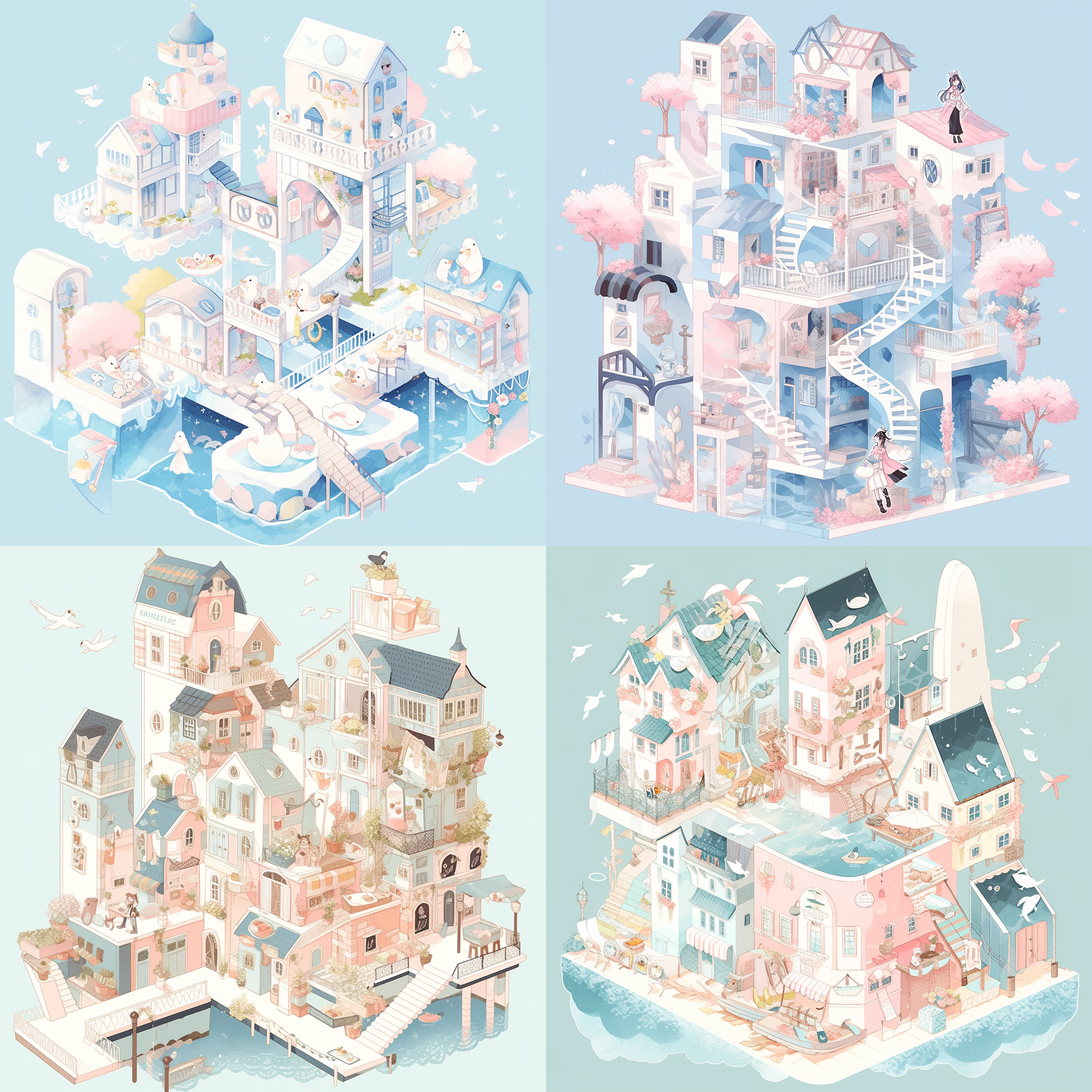
    <content type="html"><![CDATA[<link rel="stylesheet" class="aplayer-secondary-style-marker" href="/assets/css/APlayer.min.css"><script src="/assets/js/APlayer.min.js" class="aplayer-secondary-script-marker"></script><script class="meting-secondary-script-marker" src="/assets/js/Meting.min.js"></script><div align="center">    <img src="/2026/07/24/SummerTownMap/img/00-summertownmap.png" width="80%" height="80%">    <br>    <p style="color: #888888; font-size: 12px; margin-top: 10px;">        <i>夏天镇终于有（虚拟）地图了！</i>    </p></div>其实想要做一个这样的交互式地图已经很久很久了。很多年前，在博客还流行的时候就有这么一个想法的雏形，可是后来慢慢大家都不用了。后来想到可以把我那些乱七八糟的兴趣爱好集中整理在一起，无奈空有想法，但是UI、编程都是问题。COVID期间，“动森”特别流行，而“元宇宙”的概念也着实火了一阵。有一年生日，两位小伙伴还送了我一部Switch，可惜我那时候工作实在太太太累了，没有精力去一点点建设我的小岛，直到现在岛上还是一片荒芜。那时候我想到可以搭一个这样的网络空间，至少可以把平时的碎碎念啊、照片、播客啊之类的都放进去。直到2022-2023年，AI Agent突然爆发式增长，我曾经的想法也慢慢开始有了一丢丢实现的希望。那时候首先想到的是，画这样一个2.5D的地图，于是用Midjourney尝试生成了好几种风格的图，可惜那时候生成的图还比较粗糙，仔细看有很多逻辑上不合理的地方，而且不能把元素的图层分离开，从而实现鼠标指向和点击时候的动效之类的。比如下面这些：<br><div align="center">    <img src="/2026/07/24/SummerTownMap/img/Midjourney.png" width="80%" height="80%">    <br>    <img src="/2026/07/24/SummerTownMap/img/Midjourney-1.png" width="80%" height="80%">    <br>    <img src="/2026/07/24/SummerTownMap/img/Midjourney-2.png" width="80%" height="80%">    <br>        <img src="/2026/07/24/SummerTownMap/img/Midjourney-3.png" width="80%" height="80%">    <br>        <img src="/2026/07/24/SummerTownMap/img/Midjourney-4.png" width="80%" height="80%">    <br>        <img src="/2026/07/24/SummerTownMap/img/Midjourney-5.png" width="80%" height="80%">    <br>    <p style="color: #888888; font-size: 12px; margin-top: 10px;">        <i>一部分使用Midjourney尝试生成的地图插画示例（2023年左右）</i>    </p></div><br>直到去年底今年初，很多模型在生成网站方面有了飞跃式的进步，这半年来我也尝试了好几种工具，比如Cursor搭载的Grok、Composer、Opus、GPT、Fable、Sonnet，以及Google AI Studio搭载的Gemini，为什么没有用Claude Code呢，因为不知道为什么我的Claude Code总是提示我所在的地区不支持（即使用了科学上网T.T）。可是我想要的这种2.5D插画风格的地图做出来效果总是不理想：<br><div align="center">    <img src="/2026/07/24/SummerTownMap/img/Cursor-InitialMap.png" width="80%" height="80%">    <br>    <p style="color: #888888; font-size: 12px; margin-top: 10px;">        <i>使用Cursor生成的地图案例</i>    </p></div><br>而到了前几天，由于Kimi K3模型发布并取得了广泛好评，开始尝试用Kimi生成这个地图试试。但K2.6模型（Instant）产出的也是非常简单的地图：<div align="center">    <img src="/2026/07/24/SummerTownMap/img/KimiK2.6Stardard.png" width="80%" height="80%">    <br>    <p style="color: #888888; font-size: 12px; margin-top: 10px;">        <i>Kimi K2.6模型生成的版本</i>    </p></div><br>又进而尝试了K3，有进步但是还是缺乏细节（而且非常烧quota）：<div align="center">    <img src="/2026/07/24/SummerTownMap/img/KimiK3.png" width="80%" height="80%">    <img src="/2026/07/24/SummerTownMap/img/KimiK3-2.png" width="80%" height="80%">    <br>    <p style="color: #888888; font-size: 12px; margin-top: 10px;">        <i>Kimi K3生成的版本</i>    </p></div><br>后来，看到官网给出的K3 Swarm模型生成的案例，非常fancy，了解到这个模式是一种集成多个AI Agents协同作业的方式，于是决定尝试。在输入提示词后，K3 Swarm会把复杂的任务拆分成多个小任务，然后进行一个虚拟“recruiting”的过程，把任务分配给不同的AI Agents，同时有一个简笔的动画，有不同名字的AI程序员接受任务并工作，在工作完成后，对应的AI程序员的状态会变为“Dismissed”，代表他们已经完成了相应的工作。而终于，这个版本出来的效果差不多符合我的想象。之后进行了很多轮的修改和微调，形成了目前的版本。下载代码的时候，我看了一下这是V28，也就是第28个版本。<br><br>因为这时候我的月额度只剩下了10%，所以就保持在当前这个静态网页的状态（网站里留言、发邮件等功能暂时还不完善，留言在刷新或清空缓存后就会消失），还有一些比较复杂的features还没有做，但这刚好可以通过GitHub Pages部署，并且通过DNS设置，把它放在了这个博客的子域名下。但部署一直报错，并在不停调整过程中耗尽了最后一点Kimi的199会员月度quota（因为之前还尝试了两个别的项目，所以用的比较快，但非常贵了T.T）。最后只能转战Google Ai去调整deploy的文件，终终终于可以看到页面了。可以从以下对话框体验，或者点击首页顶部菜单栏的“地图”选项卡查看：<p style="color: #888888; font-size: 12px; margin-top: 10px;">    <i>（因为部署在GitHub上，从国内IP访问的话加载可能会有点慢？分别用手机和iPad在没有科学上网的情况下尝试打开，手机加载很慢很慢，但iPad很快，不确定原因）</i></p><br>再感慨一下，我真的好喜欢这些纪念碑谷的小建筑和小细节啊啊啊。如果要再往前追溯起做这样一个小站的动机，我突然想到，应该是很久很久以前Flash年代一位网名叫做“蜡笔X”的插画/动画师的网站和陈绮贞的CheerGo网站，二者都有一些很可爱的、治愈的设计细节和交互设置。所以现在这个博客和夏天镇的交互地图里的一些设置和小细节也是受到了他们的启发。<div align="center">    <img src="/2026/07/24/SummerTownMap/img/02.png" width="80%" height="80%">    <img src="/2026/07/24/SummerTownMap/img/04.png" width="80%" height="80%">    <img src="/2026/07/24/SummerTownMap/img/05.png" width="80%" height="80%">    <img src="/2026/07/24/SummerTownMap/img/07.png" width="80%" height="80%">    <img src="/2026/07/24/SummerTownMap/img/09.png" width="80%" height="80%">    <img src="/2026/07/24/SummerTownMap/img/10.png" width="80%" height="80%">    <img src="/2026/07/24/SummerTownMap/img/12.png" width="80%" height="80%">    <img src="/2026/07/24/SummerTownMap/img/13.png" width="80%" height="80%">    <img src="/2026/07/24/SummerTownMap/img/14.png" width="80%" height="80%">    <br>    <p style="color: #888888; font-size: 12px; margin-top: 10px;">        <i>部分建筑细节图</i>    </p></div><br><div align="center">    <img src="/2026/07/24/SummerTownMap/img/threemodes.png" width="80%" height="80%">    <br>    <p style="color: #888888; font-size: 12px; margin-top: 10px;">        <i>三种光线模式，祝你“good afternoon, good evening, and good night"</i>    </p></div><br><div align="center">    <img src="/2026/07/24/SummerTownMap/img/14-2.png" width="80%" height="80%">    <br>    <p style="color: #888888; font-size: 12px; margin-top: 10px;">        <i>风铃小互动</i>    </p></div><br>今天又在小红书上看到一位博主发布的[美化GitHub仓库首页的skill](https://github.com/oil-oil/beautify-github-readme)，尝试了一下，生成了中英版本的[仓库简介](https://github.com/SummerPapaya/summertown)：<div align="center">    <img src="/2026/07/24/SummerTownMap/img/summer-town-readme-infographic-top.png" width="80%" height="80%">    <br>    <p style="color: #888888; font-size: 12px; margin-top: 10px;">    </p></div><br>至此，终于让我在差不多十年以前的一个想法取得了里程碑式的进步💡，刚部署出来并且头一次通过刷新浏览器看到地图的时候还是很兴奋的，但还有很多构想的features需要慢慢完善。然后给自己浇下一盆冷水：后面的任务其实更难,比如搭建管理员页面、图床和数据库，去增加相册展示、留言、发邮件等功能（而我目前已经没有quota可以用了也实在舍不得升级699套餐，只能等到八月下旬继续:(）。而且我时刻谨记在一个帖子下面看到的评论“AI让很多人误以为自己很厉害”。不过，这对于很久以来很少收到任何形式正反馈的我来说，已经非常高兴了，容我骄傲一会儿会儿。我甚至想，即使是因为这样一件没什么用的小事，还是应该对自己和生活抱有一些希望的，因为说不定那些看起来没法完成的事情，在某一天就突然做出来了呢。又再一次想到那句歌词——<br>“也许是天气，也许是运气，也许是因为有人不放弃。”<br><br>最后，如果你来到了夏天镇，请注意这里的三条规则🤣——<br>- 🐱 记得跟小猫打招呼<br>- 🐚 记得向图书馆归还贝壳（如果你有“欠费”的话，图书馆借阅的逾期费用是贝壳）<br>- 🌅 记得欣赏一场日落，并为它鼓掌<br><br><div align="center">    <img src="/2026/07/24/SummerTownMap/img/summertownrules.png" width="80%" height="80%">    <br>    <p style="color: #888888; font-size: 12px; margin-top: 10px;">    </p></div><br>祝你早安午安晚安晚晚安，祝你拥有神奇的一天。☀️]]></content>
    
    
    <summary type="html">🗺️ 阶段性胜利：地图建设Beta2.0！🗺️</summary>


    <category term="实验室" scheme="https://www.summercommences.com/categories/%E5%AE%9E%E9%AA%8C%E5%AE%A4/"/>
    
    
    <category term="小火花儿" scheme="https://www.summercommences.com/tags/%E5%B0%8F%E7%81%AB%E8%8A%B1%E5%84%BF/"/>
    
    <category term="Vibe Coding" scheme="https://www.summercommences.com/tags/Vibe-Coding/"/>
    
    <category term="AI Lab" scheme="https://www.summercommences.com/tags/AI-Lab/"/>
    
    <category term="小镇建设" scheme="https://www.summercommences.com/tags/%E5%B0%8F%E9%95%87%E5%BB%BA%E8%AE%BE/"/>
    
  </entry>
  
  <entry>
    <title>An Apple A Day - 用Vibe Coding搓一个展示墙</title>
    <link href="https://www.summercommences.com/2026/03/31/AnAppleADay-app/"/>
    <id>https://www.summercommences.com/2026/03/31/AnAppleADay-app/</id>
    <published>2026-03-31T11:00:53.000Z</published>
    <updated>2026-04-17T08:35:04.840Z</updated>
    
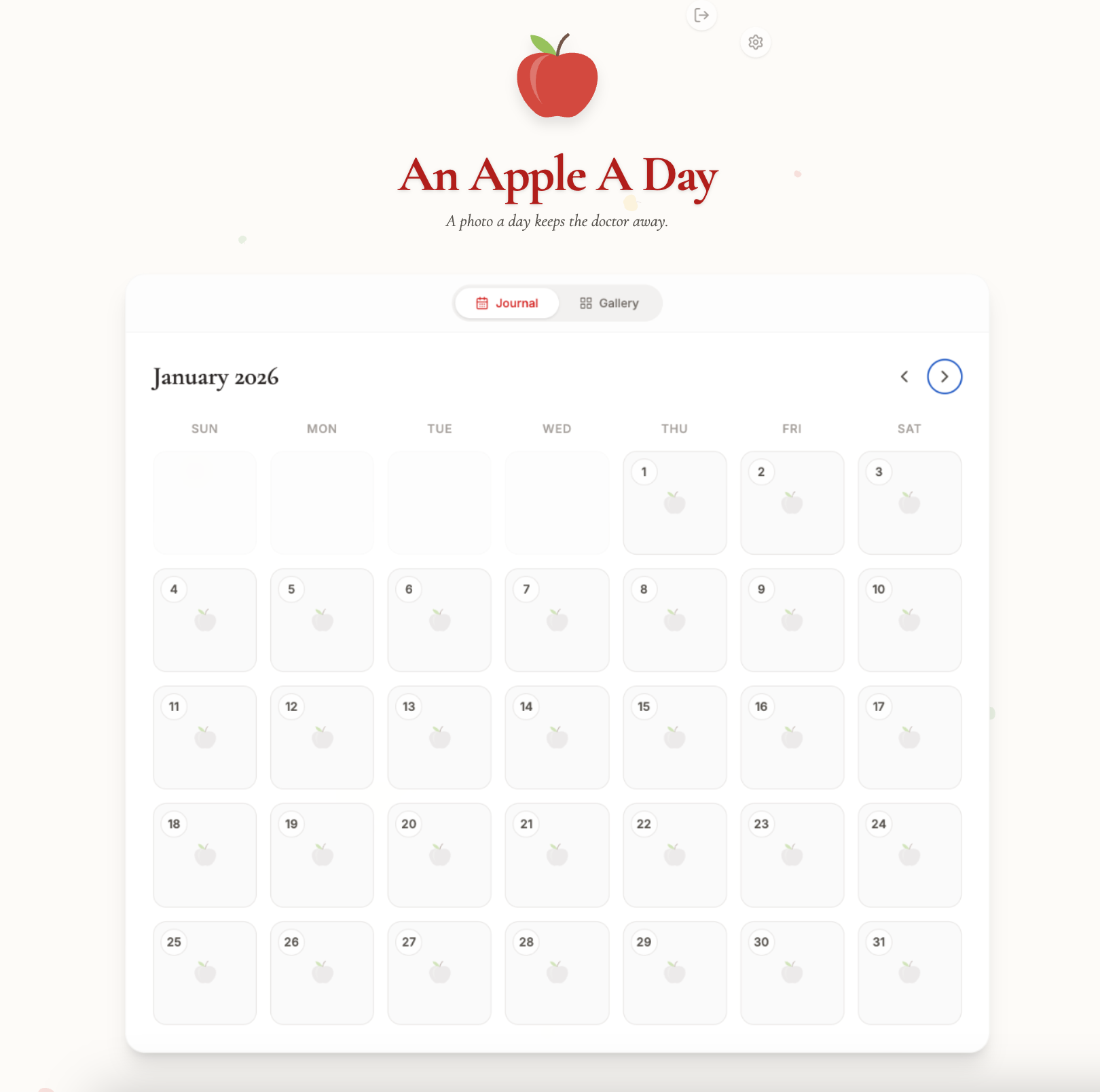
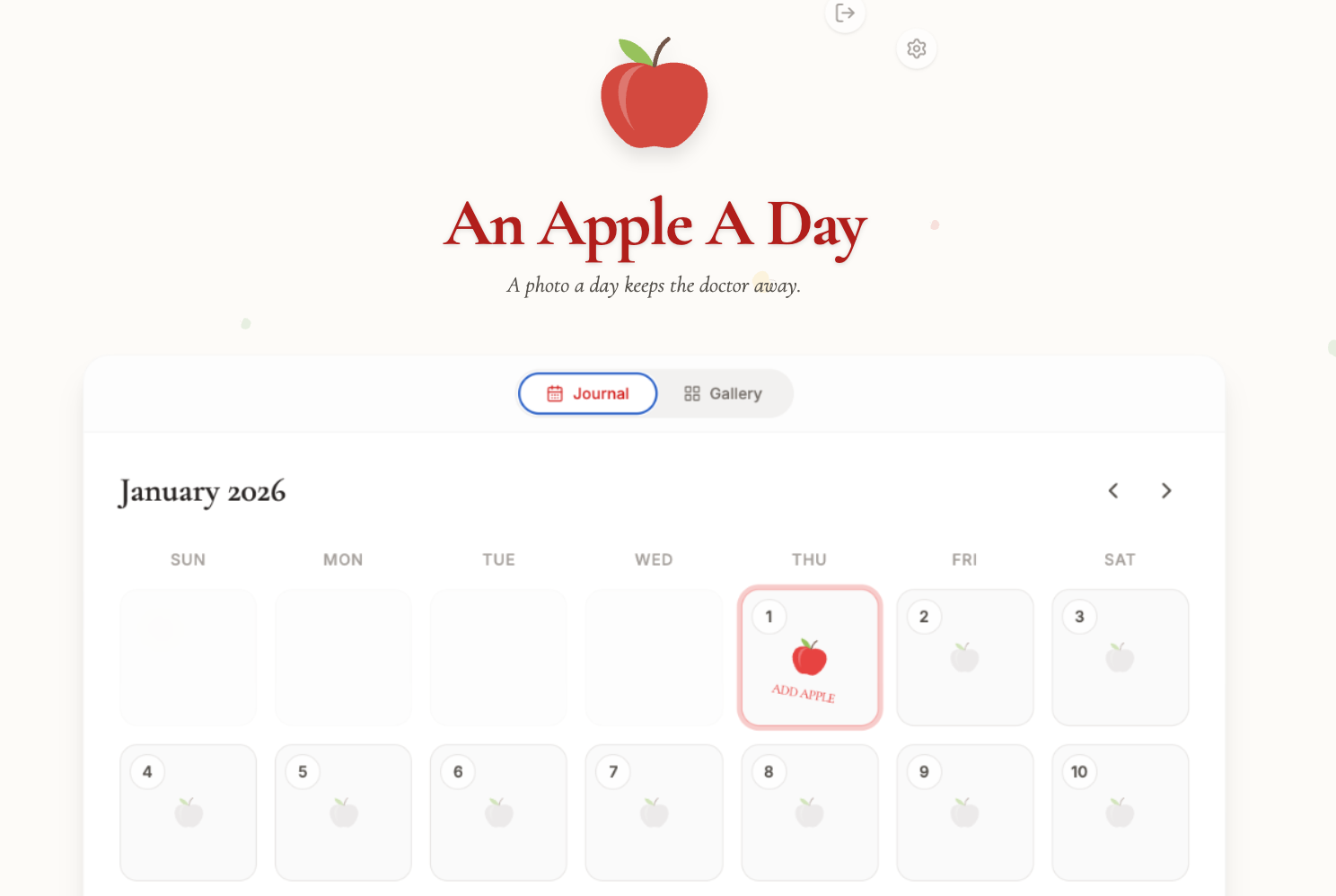
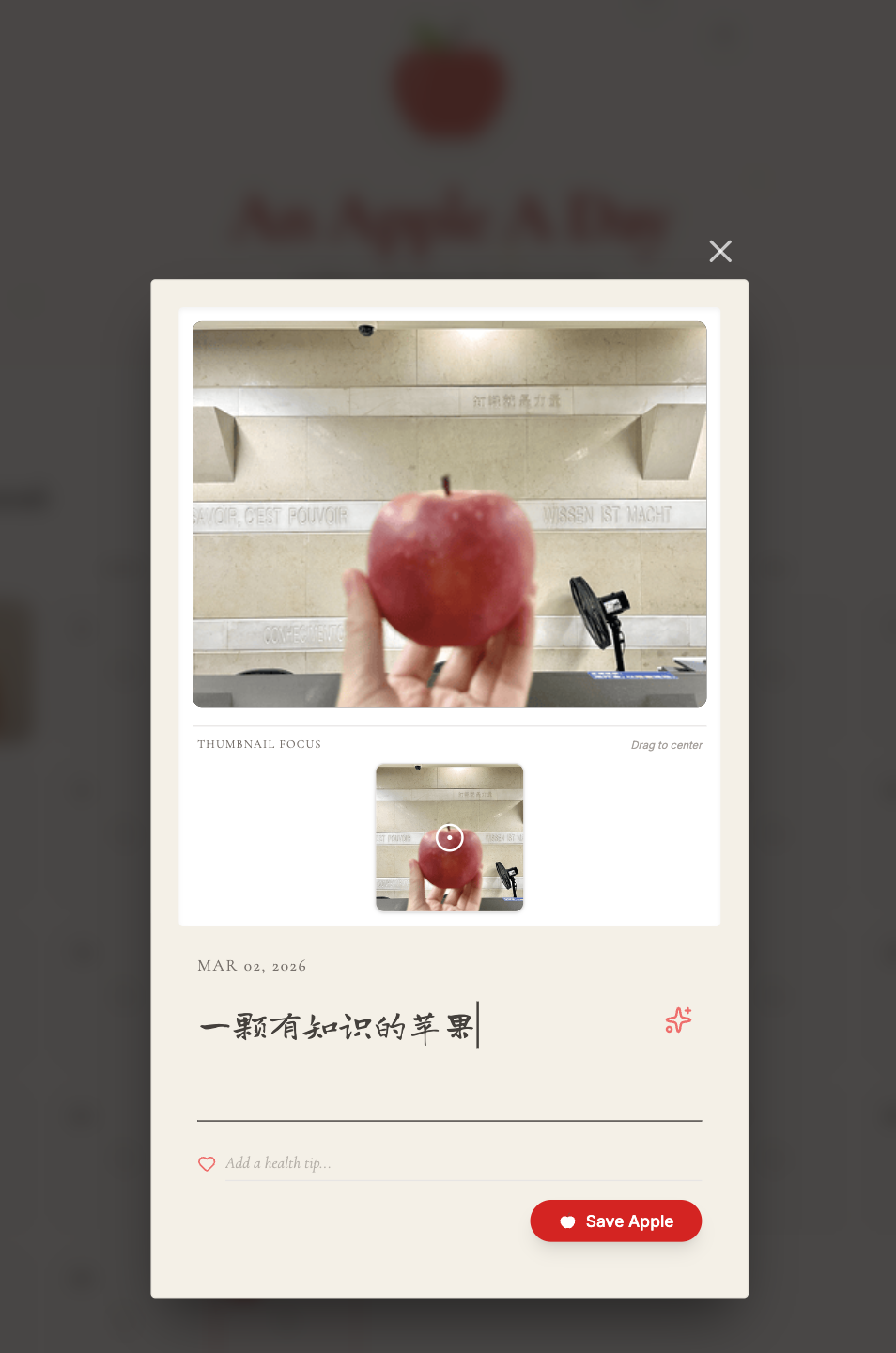
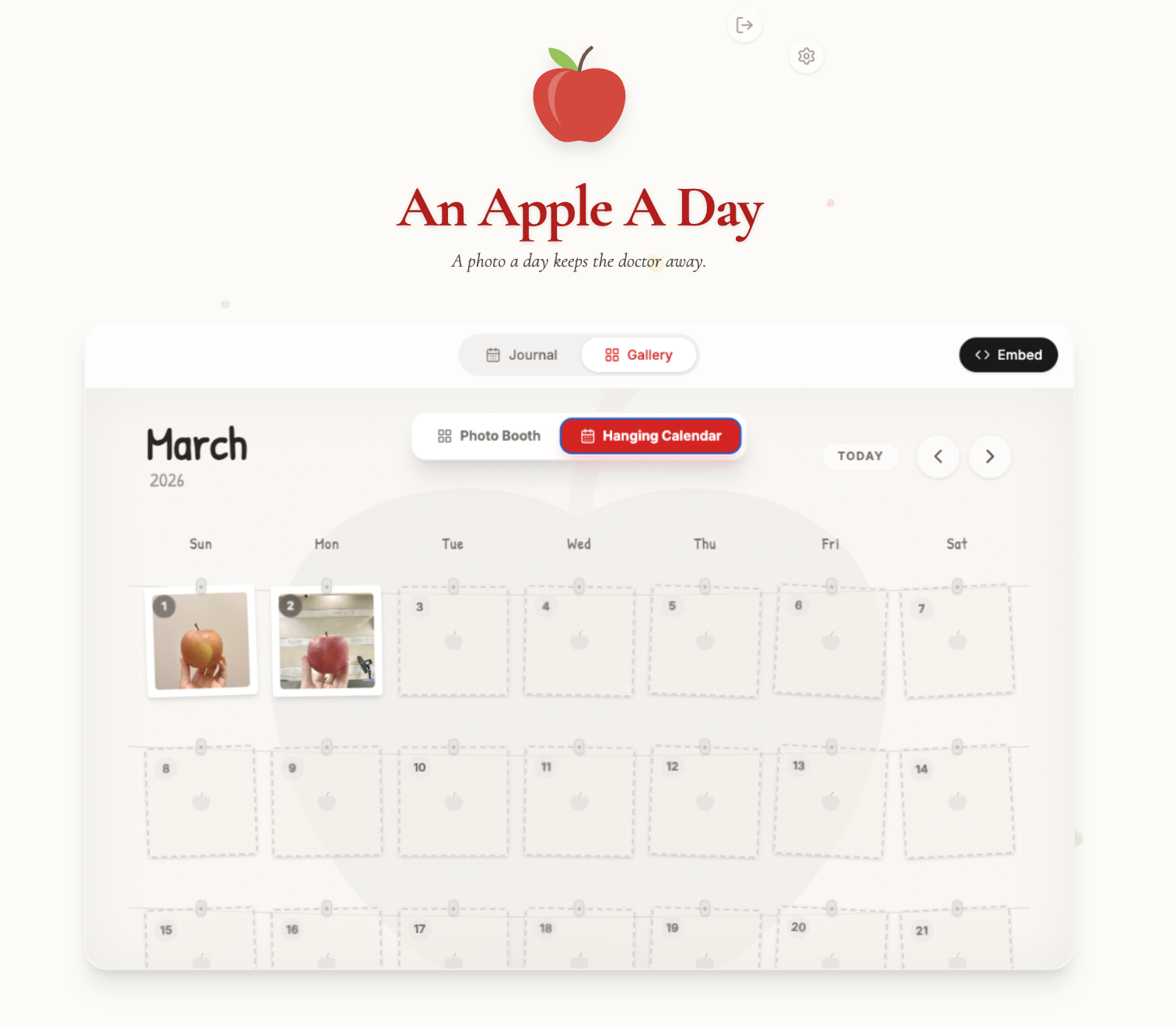
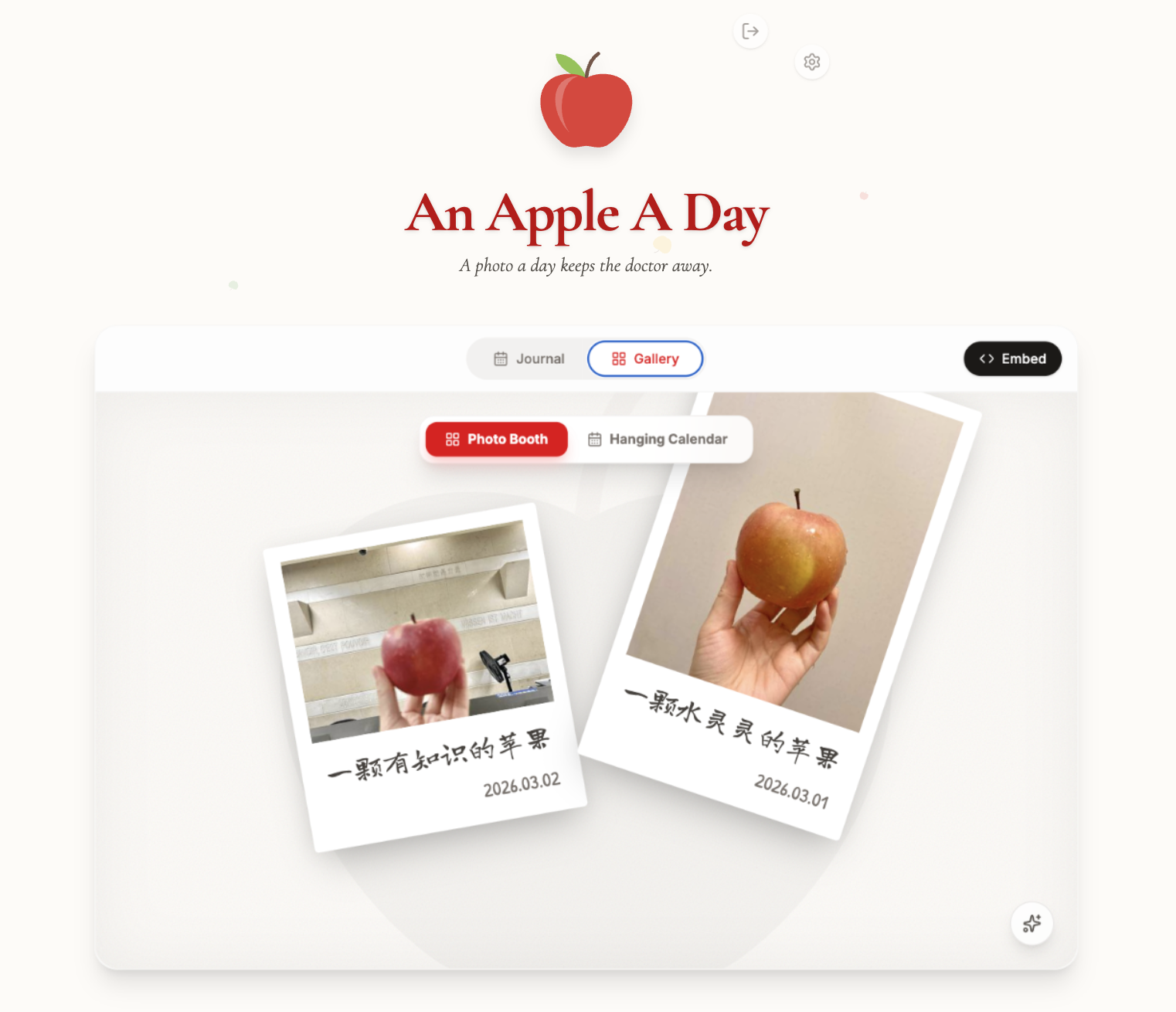
    <content type="html"><![CDATA[<link rel="stylesheet" class="aplayer-secondary-style-marker" href="/assets/css/APlayer.min.css"><script src="/assets/js/APlayer.min.js" class="aplayer-secondary-script-marker"></script><script class="meting-secondary-script-marker" src="/assets/js/Meting.min.js"></script><center>🍎 “一颗苹果”计划 · 第一季 🍎</center><br><center>“活着其实很好，再吃一颗苹果”<br></center><br><div id="musicPlayerContainer" class="music-player">  <audio id="audioPlayer" src="https://music.163.com/song/media/outer/url?id=1365626644" preload="metadata"></audio>  <div class="album-cover" id="albumCover">    <img src="https://p1.music.126.net/FA-QDERQ1xYgH0IUvv6i4g==/109951168162184684.jpg?param=250y250" alt="专辑封面" id="albumImage">  </div>  <div class="player-controls">    <div class="info-controls-row">      <div class="song-info">        <div class="song-title" id="songTitle">一颗苹果 (Life Live)</div>        <div class="song-artist" id="songArtist">五月天</div>      </div>        <div class="controls">        <div class="play-pause-btn" id="playPauseBtn">          <svg class="icon" viewbox="0 0 24 24" id="playIcon"><path fill="currentColor" d="M8 5v14l11-7z"/></svg>          <svg class="icon" viewbox="0 0 24 24" id="pauseIcon" style="display: none;"><path fill="currentColor" d="M6 19h4V5H6v14zm8-14v14h4V5h-4z"/></svg>        </div>                <div class="volume-btn" id="volumeBtn">          <svg class="icon volume-unmuted-icon" viewbox="0 0 24 24"><path fill="currentColor" d="M3 9v6h4l5 5V4L7 9H3zm13.5 3c0-1.77-1.02-3.29-2.5-4.03v8.05c1.48-.73 2.5-2.25 2.5-4.02zM14 3.23v2.06c2.89.86 5 3.54 5 6.71s-2.11 5.85-5 6.71v2.06c4.01-.91 7-4.49 7-8.77s-2.99-7.86-7-8.77z"/></svg>          <svg class="icon volume-muted-icon" style="display: none;" viewbox="0 0 24 24"><path fill="currentColor" d="M16.5 12c0-1.77-1.02-3.29-2.5-4.03v2.21l2.45 2.45c.03-.2.05-.41.05-.63zm2.5 0c0 .94-.2 1.82-.54 2.64l1.51 1.51C20.63 14.91 21 13.5 21 12c0-4.28-2.99-7.86-7-8.77v2.06c2.89.86 5 3.54 5 6.71zM4.27 3L3 4.27 7.73 9H3v6h4l5 5v-6.73l4.25 4.25c-.67.52-1.42.93-2.25 1.18v2.06c1.38-.31 2.63-.95 3.69-1.81L19.73 21 21 19.73l-9-9L4.27 3zM12 4L9.91 6.09 12 8.18V4z"/></svg>        </div>      </div>    </div>    <div class="progress-container" id="progressContainer">      <div class="progress-bar" id="progressBar"><div class="progress-handle" id="progressHandle"></div></div>    </div>  </div></div><br><br>继续上一篇的“苹果日记”。其实刚开始拍这个“一颗苹果”系列，我想着把当时那一箱苹果吃完就结束，没想到每次给我妈发去当天拍的苹果，她都挺高兴的。于是乎，在每一箱苹果快要吃完的时候，她会再给我寄一箱，还跟直播间的卖家说，我们这是要用来拍照的，麻烦给我们挑点好看的。掐指一算，从去年的十二月中旬到现在（2026.3.31），我竟然已经不间断更新了100+苹果照片。😼<br><br>尝试用Google AI Studio的Gemini搓了一个app来上传和展示这些苹果们，虽然不知道我能坚持多久，但觉得这个“苹果日记”真的是一个无用但挺有意思的小项目。后端的存储总是有点问题，先来测试一下这个相册能不能正常显示（好吧...好像确实显示不了）。照片的存储目前用的是Google旗下Firebase的Base64存储模式，因为在Google Cloud和Firebase Storage创建存储桶的话一定要绑定信用卡，担心会产生莫名其妙的费用，所以先用着免费方案再说。之前创建的GitHub+PicGo图床不知道为什么也一直用不了，不知道要不要部署到阿里云或者腾讯COS试试。另外，还打算用Claude Code再搓一个（可是要花钱啊阿啊），看看能不能弄出一些更有意思的呈现方式。<br><br><iframe src="https://ai.studio/apps/eabb1e03-79ca-485a-8078-8759378a13f4/?embed=true&uid=6bTuoYMg6OWXoIvE25cUlxiJajy1" width="100%" height="600px" frameborder="0" style="border-radius: 12px; overflow: hidden; box-shadow: 0 4px 12px rgba(0,0,0,0.1);"></iframe><br><br>目前应该长下面这样，在上一条中的拍立得照片墙的基础上增加了上传照片的入口和日历显示模式，并调整了UI。但好像每次重启，上传的图片和说明就会消失，容我再研究研究。🫠<br><br><div align="center">    <img src="/2026/03/31/AnAppleADay-app/img/照片上传日历.png" width="80%" height="80%">    <br>    <p style="color: #888888; font-size: 12px; margin-top: 10px;">        <i>照片上传日历</i>    </p></div><br><div align="center">    <img src="/2026/03/31/AnAppleADay-app/img/照片上传日历-点击时交互效果.png" width="80%" height="80%">    <br>    <p style="color: #888888; font-size: 12px; margin-top: 10px;">        <i>照片上传日历-指向具体日期交互效果</i>    </p></div><br><div align="center">    <img src="/2026/03/31/AnAppleADay-app/img/上传照片的对话框.png" width="80%" height="80%">    <br>    <p style="color: #888888; font-size: 12px; margin-top: 10px;">        <i>照片上传+编辑界面</i>    </p></div><br><div align="center">    <img src="/2026/03/31/AnAppleADay-app/img/保存照片后的上传日历.png" width="80%" height="80%">    <br>    <p style="color: #888888; font-size: 12px; margin-top: 10px;">        <i>展示照片墙-悬挂略缩图模式</i>    </p></div><br><div align="center">    <img src="/2026/03/31/AnAppleADay-app/img/照片墙-宝丽来模式.png" width="80%" height="80%">    <br>    <p style="color: #888888; font-size: 12px; margin-top: 10px;">        <i>展示照片墙-拍立得照片墙模式</i>    </p></div>]]></content>
    
    
    <summary type="html">🍎 再再再吃一颗苹果 🍎</summary>


    <category term="实验室" scheme="https://www.summercommences.com/categories/%E5%AE%9E%E9%AA%8C%E5%AE%A4/"/>
    
    
    <category term="Test" scheme="https://www.summercommences.com/tags/Test/"/>
    
    <category term="小火花儿" scheme="https://www.summercommences.com/tags/%E5%B0%8F%E7%81%AB%E8%8A%B1%E5%84%BF/"/>
    
    <category term="一颗苹果" scheme="https://www.summercommences.com/tags/%E4%B8%80%E9%A2%97%E8%8B%B9%E6%9E%9C/"/>
    
    <category term="Vibe Coding" scheme="https://www.summercommences.com/tags/Vibe-Coding/"/>
    
    <category term="AI Lab" scheme="https://www.summercommences.com/tags/AI-Lab/"/>
    
  </entry>
  
  <entry>
    <title>An Apple A Day [S01]</title>
    <link href="https://www.summercommences.com/2026/01/17/OneAppleADay/"/>
    <id>https://www.summercommences.com/2026/01/17/OneAppleADay/</id>
    <published>2026-01-17T11:30:53.000Z</published>
    <updated>2026-07-23T07:35:41.896Z</updated>
    
    <content type="html"><![CDATA[<link rel="stylesheet" class="aplayer-secondary-style-marker" href="/assets/css/APlayer.min.css"><script src="/assets/js/APlayer.min.js" class="aplayer-secondary-script-marker"></script><script class="meting-secondary-script-marker" src="/assets/js/Meting.min.js"></script><center>🍎 “一颗苹果”计划 · 第一季 🍎</center><br><center>“活着其实很好，再吃一颗苹果”<br>祝愿在新的一年，我们都能平安健康。</center><br><div id="musicPlayerContainer" class="music-player">  <audio id="audioPlayer" src="https://music.163.com/song/media/outer/url?id=1365626644" preload="metadata"></audio>  <div class="album-cover" id="albumCover">    <img src="https://p1.music.126.net/FA-QDERQ1xYgH0IUvv6i4g==/109951168162184684.jpg?param=250y250" alt="专辑封面" id="albumImage">  </div>  <div class="player-controls">    <div class="info-controls-row">      <div class="song-info">        <div class="song-title" id="songTitle">一颗苹果 (Life Live)</div>        <div class="song-artist" id="songArtist">五月天</div>      </div>        <div class="controls">        <div class="play-pause-btn" id="playPauseBtn">          <svg class="icon" viewbox="0 0 24 24" id="playIcon"><path fill="currentColor" d="M8 5v14l11-7z"/></svg>          <svg class="icon" viewbox="0 0 24 24" id="pauseIcon" style="display: none;"><path fill="currentColor" d="M6 19h4V5H6v14zm8-14v14h4V5h-4z"/></svg>        </div>                <div class="volume-btn" id="volumeBtn">          <svg class="icon volume-unmuted-icon" viewbox="0 0 24 24"><path fill="currentColor" d="M3 9v6h4l5 5V4L7 9H3zm13.5 3c0-1.77-1.02-3.29-2.5-4.03v8.05c1.48-.73 2.5-2.25 2.5-4.02zM14 3.23v2.06c2.89.86 5 3.54 5 6.71s-2.11 5.85-5 6.71v2.06c4.01-.91 7-4.49 7-8.77s-2.99-7.86-7-8.77z"/></svg>          <svg class="icon volume-muted-icon" style="display: none;" viewbox="0 0 24 24"><path fill="currentColor" d="M16.5 12c0-1.77-1.02-3.29-2.5-4.03v2.21l2.45 2.45c.03-.2.05-.41.05-.63zm2.5 0c0 .94-.2 1.82-.54 2.64l1.51 1.51C20.63 14.91 21 13.5 21 12c0-4.28-2.99-7.86-7-8.77v2.06c2.89.86 5 3.54 5 6.71zM4.27 3L3 4.27 7.73 9H3v6h4l5 5v-6.73l4.25 4.25c-.67.52-1.42.93-2.25 1.18v2.06c1.38-.31 2.63-.95 3.69-1.81L19.73 21 21 19.73l-9-9L4.27 3zM12 4L9.91 6.09 12 8.18V4z"/></svg>        </div>      </div>    </div>    <div class="progress-container" id="progressContainer">      <div class="progress-bar" id="progressBar"><div class="progress-handle" id="progressHandle"></div></div>    </div>  </div></div><br><iframe src="AppleAlbum-Test.html" width="100%" height="700" frameborder="0"></iframe><br><br>p.s. 在图书馆借了一本书《HTML5+CSS3+JavaScript案例实战》，跟着里面的HTML+JS代码教程弄的一个照片墙，电脑端可以用鼠标移动“墙”上的照片，感觉比瀑布流或者幻灯片的形式好玩一点，但展示效果确实不是很直观和方便。而且移动端不支持移动，只能通过点击改变图层顺序，不知道有没有什么解决方法-。-<br><br>p.s.s. 问了问AI解决了原来教材里的代码不支持移动端的拖拽这个问题，但是图片多了之后看起来很乱。因为预计会有40-50张图片，再想想办法看有没有什么更好玩的展示方法。(于2026.1.19)]]></content>
    
    
    <summary type="html">🍎 活着其实很好，再吃一颗苹果 🍎</summary>


    <category term="照相馆" scheme="https://www.summercommences.com/categories/%E7%85%A7%E7%9B%B8%E9%A6%86/"/>
    
    
    <category term="小火花儿" scheme="https://www.summercommences.com/tags/%E5%B0%8F%E7%81%AB%E8%8A%B1%E5%84%BF/"/>
    
    <category term="一颗苹果" scheme="https://www.summercommences.com/tags/%E4%B8%80%E9%A2%97%E8%8B%B9%E6%9E%9C/"/>
    
    <category term="HTML" scheme="https://www.summercommences.com/tags/HTML/"/>
    
  </entry>
  
  <entry>
    <title>新年快乐</title>
    <link href="https://www.summercommences.com/2025/12/31/HappyNewYear2026/"/>
    <id>https://www.summercommences.com/2025/12/31/HappyNewYear2026/</id>
    <published>2025-12-31T10:39:52.000Z</published>
    <updated>2026-01-18T15:19:26.030Z</updated>
    
    <content type="html"><![CDATA[<link rel="stylesheet" class="aplayer-secondary-style-marker" href="/assets/css/APlayer.min.css"><script src="/assets/js/APlayer.min.js" class="aplayer-secondary-script-marker"></script><script class="meting-secondary-script-marker" src="/assets/js/Meting.min.js"></script><p>Fly to 2026!</p><!-- 容器：确保没有边框 --><div id="fireworks-wrapper" style="    position: relative;     width: 100%;     height: 400px;     background-color: #000;     overflow: hidden;    border: none;    /* 强制无边框 */    outline: none;   /* 强制无外轮廓 */">    <!-- 烟花层 -->    <canvas id="fireworks-canvas" style="display: block; width: 100%; height: 100%; border: none;"></canvas>    <!-- 文字层：调整字体大小 -->    <div class="fireworks-text-overlay" style="        position: absolute;        top: 50%;        left: 50%;        transform: translate(-50%, -50%);        width: 100%;        text-align: center;        pointer-events: none;        z-index: 10;        border: none;    ">        <!-- 字体大小调整为 1.5rem (约 24px)，并确保背景透明 -->        <h1 id="flashing-text" style="            color: #ffffff;            font-size: 1.2rem;            font-family: 'PingFang SC', 'Hiragino Sans GB', 'Microsoft YaHei', sans-serif;            font-weight: 400;            letter-spacing: 2px;            background: transparent;            margin: 0;            border: none;            /* 霓虹效果基础样式 */            text-shadow:                 0 0 5px #fff,                 0 0 10px #fff,                 0 0 20px rgba(218, 222, 131, 1),                 0 0 30px rgba(246, 144, 93, 1),                 0 0 40px rgba(241, 113, 67, 1);            /* >>> 应用闪烁动画 <<< */            animation: neon-flicker 1.5s infinite alternate; /* 1.5秒一个周期，无限循环，交替播放 */        ">2026新年快乐，健康平安<span style="font-size: 0.9em">٩(๑˃̵ᴗ˂̵)و</span>        </h1>    </div></div><!-- >>> 闪烁动画的 CSS 关键帧定义 <<< --><style>    /* 定义名为 neon-flicker 的动画 */    @keyframes neon-flicker {        0%, 18%, 22%, 52%, 58%, 100% {            /* 亮起状态：全透明，标准发光 */            opacity: 1;            text-shadow:                 0 0 5px #fff,                 0 0 10px #fff,                 0 0 20px rgba(246, 255, 0, 1),                 0 0 30px rgba(255, 166, 0, 1),                 0 0 40px rgba(255, 119, 0, 1);        }        20%, 50%, 56% {            /* 微弱状态：半透明，发光减弱，模拟电源不稳 */            opacity: 0.6;            text-shadow:                 0 0 2px #fff,                 0 0 5px #fff,                 0 0 10px #0fa,                0 0 15px #0fa;        }    }<style>    /* 移除可能导致边框的全局或主题样式 */    #fireworks-wrapper, #fireworks-canvas {        border: 0 !important;        padding: 0 !important;        margin: 0 auto !important;    }        /* 保持页面可滚动 */    html, body {        overflow: auto !important;        height: auto !important;    }</style><!-- 这里的路径为 source 文件夹下的实际位置 --><link rel="stylesheet" href="/css/fireworks_style.css"><script src="/js/fireworks_script.js"></script><script>    // 确保 DOM 加载完成后再初始化 Canvas    document.addEventListener("DOMContentLoaded", function() {        if (typeof initFireworks === 'function') {            initFireworks(); // 如果你的 js 里有初始化函数，请在这里调用        }    });</script>]]></content>
    
    
    <summary type="html">🎆 Fly to 2026 🎆</summary>


    <category term="部落格" scheme="https://www.summercommences.com/categories/%E9%83%A8%E8%90%BD%E6%A0%BC/"/>
    
    
    <category term="Test" scheme="https://www.summercommences.com/tags/Test/"/>
    
    <category term="小火花儿" scheme="https://www.summercommences.com/tags/%E5%B0%8F%E7%81%AB%E8%8A%B1%E5%84%BF/"/>
    
  </entry>
  
  <entry>
    <title>Welcome to Summer Town</title>
    <link href="https://www.summercommences.com/2025/12/16/Welcome-to-Summer-Town/"/>
    <id>https://www.summercommences.com/2025/12/16/Welcome-to-Summer-Town/</id>
    <published>2025-12-16T07:20:47.000Z</published>
    <updated>2025-12-27T15:46:21.893Z</updated>
    
    <content type="html"><![CDATA[<link rel="stylesheet" class="aplayer-secondary-style-marker" href="/assets/css/APlayer.min.css"><script src="/assets/js/APlayer.min.js" class="aplayer-secondary-script-marker"></script><script class="meting-secondary-script-marker" src="/assets/js/Meting.min.js"></script><p><font color="ForestGreen"><font face="Helvetica">Thee eternal summer shall not fade.</font></font></p><p>🎐 夏天快乐 🎐</p><div id="musicPlayerContainer" class="music-player">  <audio id="audioPlayer" src="https://music.163.com/song/media/outer/url?id=103132" preload="metadata"></audio>  <div class="album-cover" id="albumCover">    <img src="https://p2.music.126.net/28GtF9lI5SELM9UlluoNZA==/128642860463297.jpg?param=250y250" alt="专辑封面" id="albumImage">  </div>  <div class="player-controls">    <div class="info-controls-row">      <div class="song-info">        <div class="song-title" id="songTitle">爱在波希米亚</div>        <div class="song-artist" id="songArtist">Ensemble</div>      </div>        <div class="controls">        <div class="play-pause-btn" id="playPauseBtn">          <svg class="icon" viewbox="0 0 24 24" id="playIcon"><path fill="currentColor" d="M8 5v14l11-7z"/></svg>          <svg class="icon" viewbox="0 0 24 24" id="pauseIcon" style="display: none;"><path fill="currentColor" d="M6 19h4V5H6v14zm8-14v14h4V5h-4z"/></svg>        </div>                <div class="volume-btn" id="volumeBtn">          <svg class="icon volume-unmuted-icon" viewbox="0 0 24 24"><path fill="currentColor" d="M3 9v6h4l5 5V4L7 9H3zm13.5 3c0-1.77-1.02-3.29-2.5-4.03v8.05c1.48-.73 2.5-2.25 2.5-4.02zM14 3.23v2.06c2.89.86 5 3.54 5 6.71s-2.11 5.85-5 6.71v2.06c4.01-.91 7-4.49 7-8.77s-2.99-7.86-7-8.77z"/></svg>          <svg class="icon volume-muted-icon" style="display: none;" viewbox="0 0 24 24"><path fill="currentColor" d="M16.5 12c0-1.77-1.02-3.29-2.5-4.03v2.21l2.45 2.45c.03-.2.05-.41.05-.63zm2.5 0c0 .94-.2 1.82-.54 2.64l1.51 1.51C20.63 14.91 21 13.5 21 12c0-4.28-2.99-7.86-7-8.77v2.06c2.89.86 5 3.54 5 6.71zM4.27 3L3 4.27 7.73 9H3v6h4l5 5v-6.73l4.25 4.25c-.67.52-1.42.93-2.25 1.18v2.06c1.38-.31 2.63-.95 3.69-1.81L19.73 21 21 19.73l-9-9L4.27 3zM12 4L9.91 6.09 12 8.18V4z"/></svg>        </div>      </div>    </div>    <div class="progress-container" id="progressContainer">      <div class="progress-bar" id="progressBar"><div class="progress-handle" id="progressHandle"></div></div>    </div>  </div></div>]]></content>
    
    
    <summary type="html">🎐 夏天快乐 🎐</summary>


    <category term="部落格" scheme="https://www.summercommences.com/categories/%E9%83%A8%E8%90%BD%E6%A0%BC/"/>
    
    
    <category term="Test" scheme="https://www.summercommences.com/tags/Test/"/>
    
  </entry>
  
  <entry>
    <title>Hello World</title>
    <link href="https://www.summercommences.com/2025/12/14/hello-world/"/>
    <id>https://www.summercommences.com/2025/12/14/hello-world/</id>
    <published>2025-12-14T14:46:28.934Z</published>
    <updated>2026-01-09T21:46:13.743Z</updated>
    
    <content type="html"><![CDATA[<link rel="stylesheet" class="aplayer-secondary-style-marker" href="/assets/css/APlayer.min.css"><script src="/assets/js/APlayer.min.js" class="aplayer-secondary-script-marker"></script><script class="meting-secondary-script-marker" src="/assets/js/Meting.min.js"></script><p>Welcome to <a href="https://hexo.io/">Hexo</a>! This is your very first post. Check <a href="https://hexo.io/docs/">documentation</a> for more info. If you get any problems when using Hexo, you can find the answer in <a href="https://hexo.io/docs/troubleshooting.html">troubleshooting</a> or you can ask me on <a href="https://github.com/hexojs/hexo/issues">GitHub</a>.</p><h2 id="Quick-Start"><a href="#Quick-Start" class="headerlink" title="Quick Start"></a>Quick Start</h2><h3 id="Create-a-new-post"><a href="#Create-a-new-post" class="headerlink" title="Create a new post"></a>Create a new post</h3><figure class="highlight bash"><table><tr><td class="gutter"><pre><span class="line">1</span><br></pre></td><td class="code"><pre><code class="hljs bash">$ hexo new <span class="hljs-string">&quot;My New Post&quot;</span><br></code></pre></td></tr></table></figure><p>More info: <a href="https://hexo.io/docs/writing.html">Writing</a></p><h3 id="Run-server"><a href="#Run-server" class="headerlink" title="Run server"></a>Run server</h3><figure class="highlight bash"><table><tr><td class="gutter"><pre><span class="line">1</span><br></pre></td><td class="code"><pre><code class="hljs bash">$ hexo server<br></code></pre></td></tr></table></figure><p>More info: <a href="https://hexo.io/docs/server.html">Server</a></p><h3 id="Generate-static-files"><a href="#Generate-static-files" class="headerlink" title="Generate static files"></a>Generate static files</h3><figure class="highlight bash"><table><tr><td class="gutter"><pre><span class="line">1</span><br></pre></td><td class="code"><pre><code class="hljs bash">$ hexo generate<br></code></pre></td></tr></table></figure><p>More info: <a href="https://hexo.io/docs/generating.html">Generating</a></p><h3 id="Deploy-to-remote-sites"><a href="#Deploy-to-remote-sites" class="headerlink" title="Deploy to remote sites"></a>Deploy to remote sites</h3><figure class="highlight bash"><table><tr><td class="gutter"><pre><span class="line">1</span><br></pre></td><td class="code"><pre><code class="hljs bash">$ hexo deploy<br></code></pre></td></tr></table></figure><p>More info: <a href="https://hexo.io/docs/one-command-deployment.html">Deployment</a></p>]]></content>
    
    
    <summary type="html">Test</summary>


    <category term="部落格" scheme="https://www.summercommences.com/categories/%E9%83%A8%E8%90%BD%E6%A0%BC/"/>
    
    
    <category term="Test" scheme="https://www.summercommences.com/tags/Test/"/>
    
  </entry>
  
</feed>